
Just Cause 3, PC download, free version game, free pc game, for PC
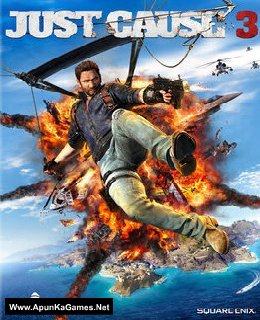
Before downloading make sure that your PC meets minimum system requirements.
Minimum System Requirements
- OS: Windows 7/Vista/8.1 (64-bit Required)
- Processor: Intel Core i5-2500k, 3.3GHz / AMD Phenom II X6 1075T 3GHz
- RAM: 8 GB
- Hard Drive: 54 GB available space
- Video Card: NVIDIA GeForce GTX 670 (2GB) / AMD Radeon HD 7870 (2GB)
- DirectX: Version 11
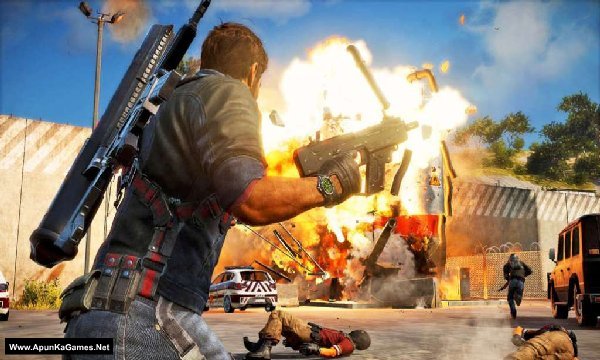
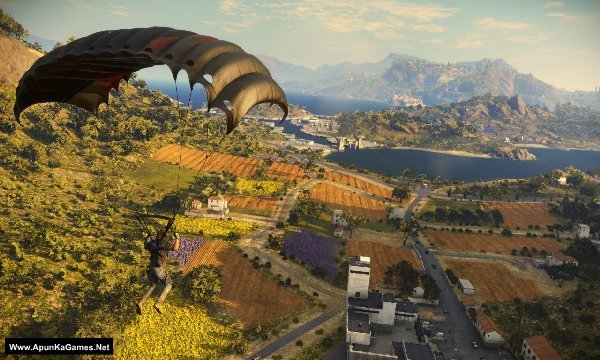
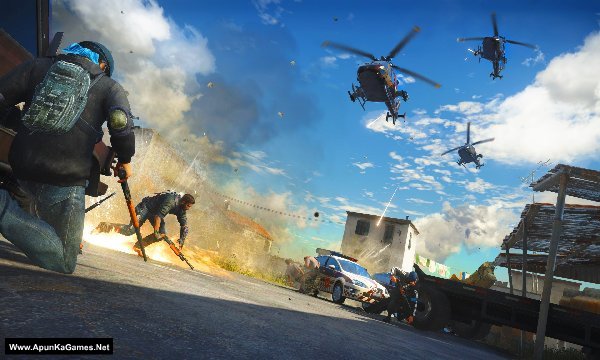
Screenshots
How to Install?
- Extract the file using Winrar. (Download Winrar)
- Open “Just Cause 3” folder, double click on “Setup” and install it.
- After installation complete, go to the folder where you extract the game.
- Open “MD5” folder, copy all files and paste it where you install the game.
- Then double click on “Game” icon to play the game. Done!
How to Download?
If your don’t know how to Download this game, just Click Here!
If your don’t know how to Download this game, just Click Here!
Game Size: 23.9 GB
Password: www.apunkagames.net or apunkagames

It sticks on loading screen, and keeps loading, please fix this
reinstall with antivirus off. add the game to antivirus exclusion list.
hey bro plis change the game to original not xl edition plis….
I downloaded 700 mb all 31 parts . But the parts are not extracting .In fact parts are not open with winrar.how I fix this problem.??
Those parts are corrupted by antivirus
Solution for it.
Part 31 link not working anymore. File not found 😥
We will upload soon as possible. Thanks!
ReDowload
this is second game I downloaded from this site but this also crash during the installion after 0.5%
Reinstall this game but first of all disable all antivirus and Windows security first before extract and installation… then copy all files in one new folder and extract just only part 1… after extraction complete then install!
you must disable antivirus and windows security before installation… otherwise it will stuck!
part one have checksum error bin.1 file
All parts are ok (Link and extraction both) we checked it twice… First of all download all (4.3GB) 5 parts and paste it into one new folder (make sure that all parts are downloaded completely otherwise it will give you error) then right click on only part 1 and select here or extract files if you want to extract the game in other drive. it will work 100%!
Help please apunkagames team
5gb Part 4 is not working please fix it
And also Devil may cry 5
5gb part 3 is not working please fix it too
You mean links or during extraction? we checked all the links, they are working fine… you just have to download one by one. If error is coming during extraction then make sure that you have download all parts completely.
I’m talking about extraction
And had download all parts completely for both games devil may cry 5/just cause 3
We’ve tested it multiple times and it’s working perfectly with no extraction errors. Please check your downloaded parts or re-download them, as the links were updated recently. Also, make sure you have enough hard drive space. If you still get an error, let us know and we’ll make a video showing how to download, extract, and install the game.
Hello I actually download all parts again it worked but there is really a big problem cuz the game setup is asking for 12 hour installation time
It’s a fitgirl repack
Can you please change it into any other setup
I can change the setup, but the alternative installer is much larger (around 60 GB). If you want that version, let me know.
Yes please change the setup
it will be so much better
Thanks for replying
And sorry for late reply
Some 5gb parts are not downloading. Please check if there is any problem with the servers. I tried several times but I am able to download only some of the parts. I had downloaded this game from here before but I didn’t had any problems in the past. And now the file downloads are not starting.
All links are working fine—just download one by one. Cancel all active IDM downloads first, then click on parts to start.
TheFileLocker server doesn’t support multiple downloads, so some links may not show. If you try downloading several parts at once, the others may fail due to the download limit.
Also, try downloading when website traffic is low—you’ll get better speed, like in the morning or afternoon. 🎮
part 1 not found please ulpoad part 1
All links are working fine. We checked them. 👍 Before downloading from TheFileLocker, temporarily turn off your antivirus and ad blocker. Also, close all other active downloads before starting. Please download one file at a time and don’t start multiple downloads simultaneously, as this may cause a 404 error on TheFileLocker. Once the download is complete, you can turn your antivirus and ad blocker back on.
How to play just cause 3 offline mod
Please follow the instructions step by step: before extracting and installing the game, turn off your antivirus. After installation, you can turn it back on, as antivirus software may block DLL files.
Download all parts and paste them into one new folder.
01. Extract the file using Winrar part 1 and automatically all parts will extracted.
02. Open “Just Cause 3” folder, double click on “Setup” and install it.
03. After installation complete, go to the folder where you install the game.
04. Then run the game using desktop icon or in-game .exe to play. Done!
Just cause 3 5gb link not working please chek however 900mb updated 1/1/26 n working fine
Brother, the Just Cause 3 5GB links are working fine. Please download the parts one by one instead of downloading multiple parts at the same time. The 900MB updated version is also working fine.
Try part 8 in 900mb
Brother we checked it’s working, please try this first: turn off your ad blocker or check if your antivirus is blocking the download, then close all active IDM downloads. After that, click on Part 8 again — you should see that it starts downloading. If it still doesn’t work, try a different browser, such as Chrome, while no other downloads are active. Brother, you can also try downloading through a VPN. It’s possible that the server is temporarily blocking or having an issue with your IP address.
Please try I m trying from day before yesterday but part 1 isn’t, thn u switched to 900mb parts in that section 8th part isn’t
Brother, all parts are working fine. Please download the parts one by one from TheFilesLocker. If Part 1 is still downloading and you try to start Part 2, it may show “Not Found.” Also, if TheFilesLocker download is not starting, check your antivirus/firewall because it may be blocking the download.
File 8 in 900mb list is not downloadable rest 1-10 ok as of now please update part 8
Brother we checked it’s working, please try this first: turn off your ad blocker or check if your antivirus is blocking the download, then close all active IDM downloads. After that, click on Part 8 again — you should see that it starts downloading. If it still doesn’t work, try a different browser, such as Chrome, while no other downloads are active. Brother, you can also try downloading through a VPN. It’s possible that the server is temporarily blocking or having an issue with your IP address.