
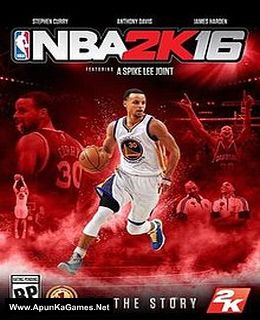
NBA 2K16 Game – Overview – Free Download – PC – Compressed – Specs – Screenshots – Free
Type of game: Sports
PC Release Date: September 29, 2015
Developer/Publishers: Visual Concepts, 2K Sports
NBA 2K16 (38.4 GB) is a sports video game. Developed and published by Visual Concepts, 2K Sports. It was released on September 29, 2015 for Windows. Disney Infinity 3.0: Gold Edition includes Star Wars™ to the ever-growing collection of Marvel, NBA 2K16 is a basketball simulation video game based on the National Basketball Association.
Type of game: Sports
PC Release Date: September 29, 2015
Developer/Publishers: Visual Concepts, 2K Sports
NBA 2K16 (38.4 GB) is a sports video game. Developed and published by Visual Concepts, 2K Sports. It was released on September 29, 2015 for Windows. Disney Infinity 3.0: Gold Edition includes Star Wars™ to the ever-growing collection of Marvel, NBA 2K16 is a basketball simulation video game based on the National Basketball Association.
Before downloading make sure that your PC meets minimum system requirements.
Minimum System Requirements
-
-
- OS: Windows 7 /8.1/10 (64-bit)
- Processor: Intel Core 2 Duo or better (SSE3 or later)
- RAM: 2 GB
- Hard Drive: 50 GB available space
- Video Card: DirectX 10.1 compatible (512 MB) or better
- DirectX: Version 11
-
Screenshots
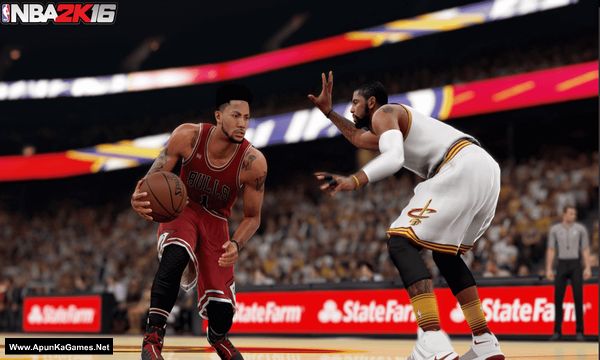
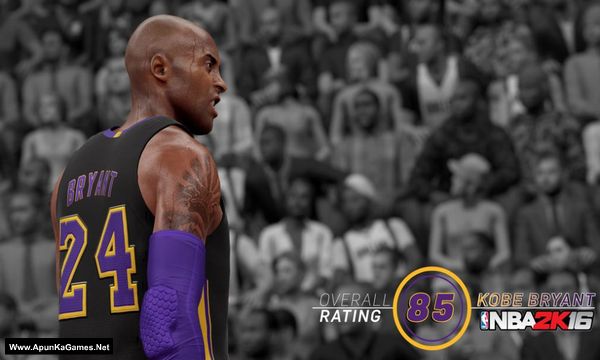
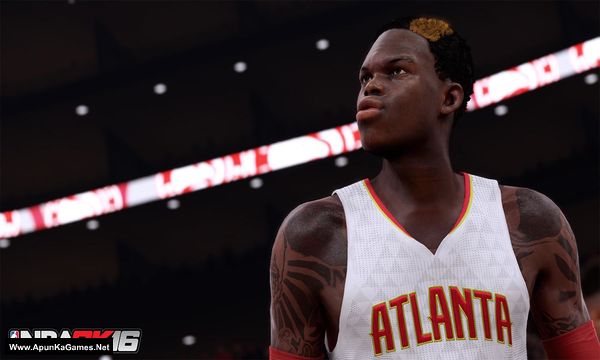
How to Install?
- Extract the file using Winrar. (Download Winrar)
- Open “NBA 2K16” folder, double click on “Setup” and install it.
- After installation complete, go to the folder where you extract the game.
- Open “CODEX” folder, copy all files and paste it where you install the game.
- Then double click on “NBA2K16” icon to play the game. Done!
How to Download?
If your don’t know how to Download this game, just Click Here!
If your don’t know how to Download this game, just Click Here!
Game Size: 38.4 GB
Password: www.apunkagames.net or apunkagames

What’s the problem I can’t download part 5 , 6 and 7 of the game 5 gb parts.
Same
The nba 2k 16 part 8 link is not working
Cancel all the active IDM downloads and then click on part 8. Download one by one because TheFileLocker can’t support multiple Files so if you try to download both part at same time it will show you error!
I downloaded all but it isnt working. I am tired guy
We checked the game again, and this setup is 100% working. Please follow the instructions step by step. Before extracting and installing the game, temporarily disable your antivirus, as it may block or quarantine required DLL files.
Download all parts and paste them into one new folder.
01. Extract the file using Winrar part 1 and automatically all parts will extracted.
02. Open “NBA 2K16” folder, double click on “Setup” and install it.
03. After installation complete, go to the folder where you extract the game.
04. Open “CODEX” folder, copy all files and paste it where you install the game. (Click Replace)
05. Then double click on “NBA2K16.exe” to play the game. Done!
Note: This setup is tested on Windows 10 and works 100%. Must crack the game before running.
We checked the game again, and this setup is 100% working. Please follow the instructions step by step. Before extracting and installing the game, temporarily disable your antivirus, as it may block or quarantine required DLL files.
Download all parts and paste them into one new folder.
01. Extract the file using Winrar part 1 and automatically all parts will extracted.
02. Open “NBA 2K16” folder, double click on “Setup” and install it.
03. After installation complete, go to the folder where you extract the game.
04. Open “CODEX” folder, copy all files and paste it where you install the game. (Click Replace)
05. Then double click on “NBA2K16.exe” to play the game. Done!
Note: This setup is tested on Windows 10 and works 100%. Must crack the game before running.