
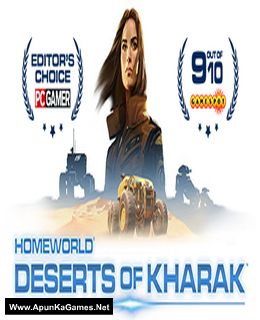
Homeworld: Deserts of Kharak Game – Overview – Free Download – PC – Compressed – Specs – Screenshots – Free
Type of game: Strategy
PC Release Date: January 20, 2016
Developer/Publishers: Blackbird Interactive/Gearbox Publishing
Homeworld: Deserts of Kharak (8.5 GB) is a strategy video game. Developed and published by Blackbird Interactive/Gearbox Publishing. It was released on January 20, 2016 for Windows. A ground-based RTS prequel to the classic Homeworld games. Assemble your fleet and lead them to victory on the shifting sands of Kharak in this compelling strategy game for PC from Blackbird Interactive.
Type of game: Strategy
PC Release Date: January 20, 2016
Developer/Publishers: Blackbird Interactive/Gearbox Publishing
Homeworld: Deserts of Kharak (8.5 GB) is a strategy video game. Developed and published by Blackbird Interactive/Gearbox Publishing. It was released on January 20, 2016 for Windows. A ground-based RTS prequel to the classic Homeworld games. Assemble your fleet and lead them to victory on the shifting sands of Kharak in this compelling strategy game for PC from Blackbird Interactive.
Before downloading make sure that your PC meets minimum system requirements.
Minimum System Requirements
- OS: Windows 7/8/10
- Processor: Intel Core i3-2100 (3.1 GHz) / AMD A10 5800k (3.8 GHz)
- RAM: 3 GB
- Hard Drive: 8 GB available space
- Video Card: GeForce GT 440 (1024 MB) / Radeon HD 4890 (1024 MB)
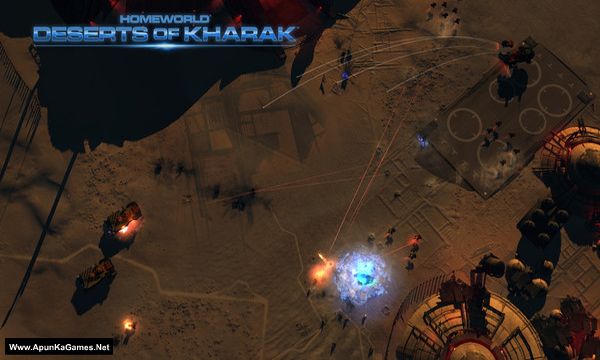
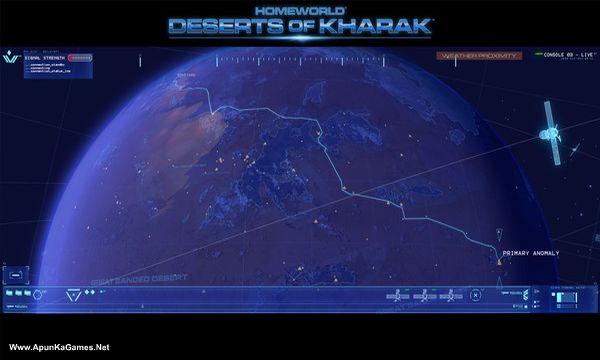
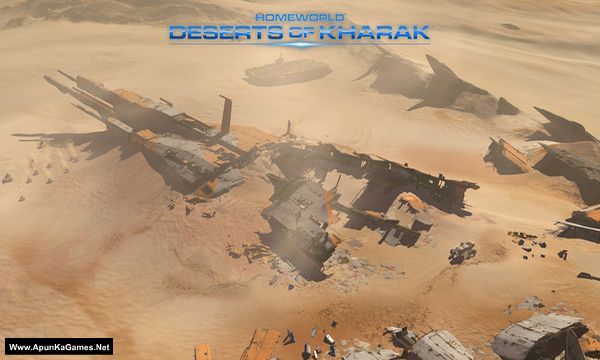
Screenshots
How to Install?
- Extract the file using Winrar. (Download Winrar)
- Open “Homeworld Deserts of Kharak” folder, double click on “Setup” and install it.
- After installation complete, go to the folder where you extract the game.
- Open “Crack” folder, copy all files and paste it where you install the game.
- Then double click on “Win32 or Win64” >> “DesertsOfKharak64” icon to play the game. Done!
How to Download?
If your don’t know how to Download this game, just Click Here!
If your don’t know how to Download this game, just Click Here!
Game Size: 8.5 GB
Password: www.apunkagames.net or apunkagames

im stuck on, it says steam not detected what do i do
After installation finished, Must Crack the game before running. Follow these steps:
01. After installation complete, go to the folder where you extract the game.
02. Open “Crack” folder, copy all files and paste it where you install the game. (Click replace)
03. Then double click on “Win32 or Win64” >> “DesertsOfKharak64.exe” to play the game. Done!
We check again. This game is 100% working setup. Please follow the instructions step by step: before extracting and installing the game, turn off your antivirus. After installation, you can turn it back on, as antivirus software may block DLL files.
Download all parts and paste them into one new folder.
01. Extract the file using Winrar part 1 and automatically all parts will extracted.
02. Open “Homeworld Deserts of Kharak” folder, double click on “Setup” and install it.
03. After installation complete, go to the folder where you extract the game.
04. Open “Crack” folder, copy all files and paste it where you install the game. (Click Replace)
05. Then go to “Win64” >> “DesertsOfKharak64.exe” to play the game. Done!