

Black Mesa Game – Overview – Free Download – PC – Compressed – Specs – Screenshots – Free
Type of game: Action
PC Release Date: May 5, 2015
Developer/Publishers: Crowbar Collective
Black Mesa (10.5 GB) is an action video game. Developed and published by Crowbar Collective. It was released on May 5, 2015 for Windows. Relive Half-Life in this fan-made re-imagining.
Type of game: Action
PC Release Date: May 5, 2015
Developer/Publishers: Crowbar Collective
Black Mesa (10.5 GB) is an action video game. Developed and published by Crowbar Collective. It was released on May 5, 2015 for Windows. Relive Half-Life in this fan-made re-imagining.
Before downloading make sure that your PC meets minimum system requirements.
Minimum System Requirements
- OS: Windows 7 (32/64-bit)/Vista or Greater
- Processor: 2.6 Dual Core Processor or Greater
- RAM: 6 GB
- Hard Drive: 20 GB available space
- Video Card: 2 GB Dedicated Video Card or Greater
- DirectX: Version 9.0c
Screenshots
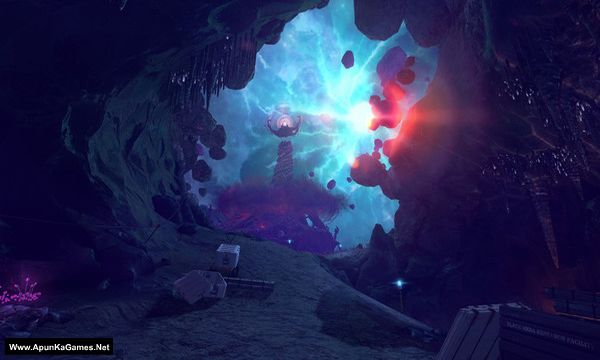
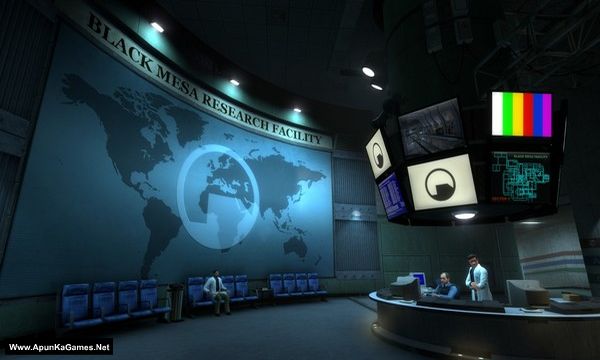
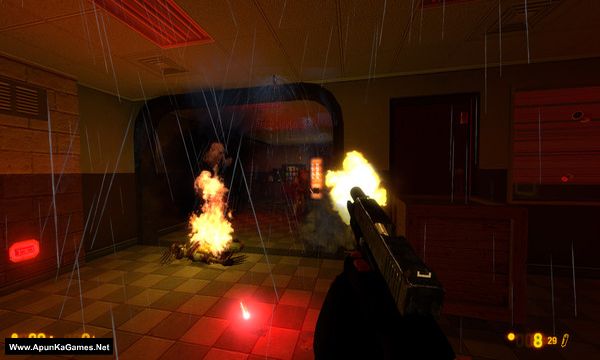
How to Install?
- Extract the file using Winrar. (Download Winrar)
- Open “Black Mesa” folder, double click on “Setup” and install it.
- After installation complete, go to the folder where you intall the game.
- Then double click on “bms” icon to play the game. Done!
How to Download?
If your don’t know how to Download this game, just Click Here!
If your don’t know how to Download this game, just Click Here!
Game Size: 10.5 GB
Password: www.apunkagames.net or apunkagames

Can you help me?
this is so hard man please help me reply me help me to fix this
We check again. This game is 100% working setup. Please follow the instructions step by step: before extracting and installing the game, turn off your antivirus. After installation, you can turn it back on, as antivirus software may block DLL files.
Download all parts and paste them into one new folder.
01. Extract the file using Winrar part 1 and automatically all parts will extracted.
02. Open “Black Mesa” >> “Game” folder.
03. Then double click on “bms.exe” to play the game. Done!
Setup file is missing
Brother, this is a pre-installed setup, so there is no Setup file and no installation is required. ❤️
Just download all 3 parts of Black Mesa from TheFileLocker, put all the parts into one new folder, and extract Part 1 only. Make sure all 3 parts are in the same folder.
Once the extraction is complete, open the game folder and run “bms.exe” to launch the game.
Done! Enjoy the game, brother! 🎮❤️